The driver app your drivers actually like using.
Turn-by-turn nav, offline GPS, digital inspections, e-signatures, and one-tap status updates. Everything a NEMT driver needs—and nothing they don't.
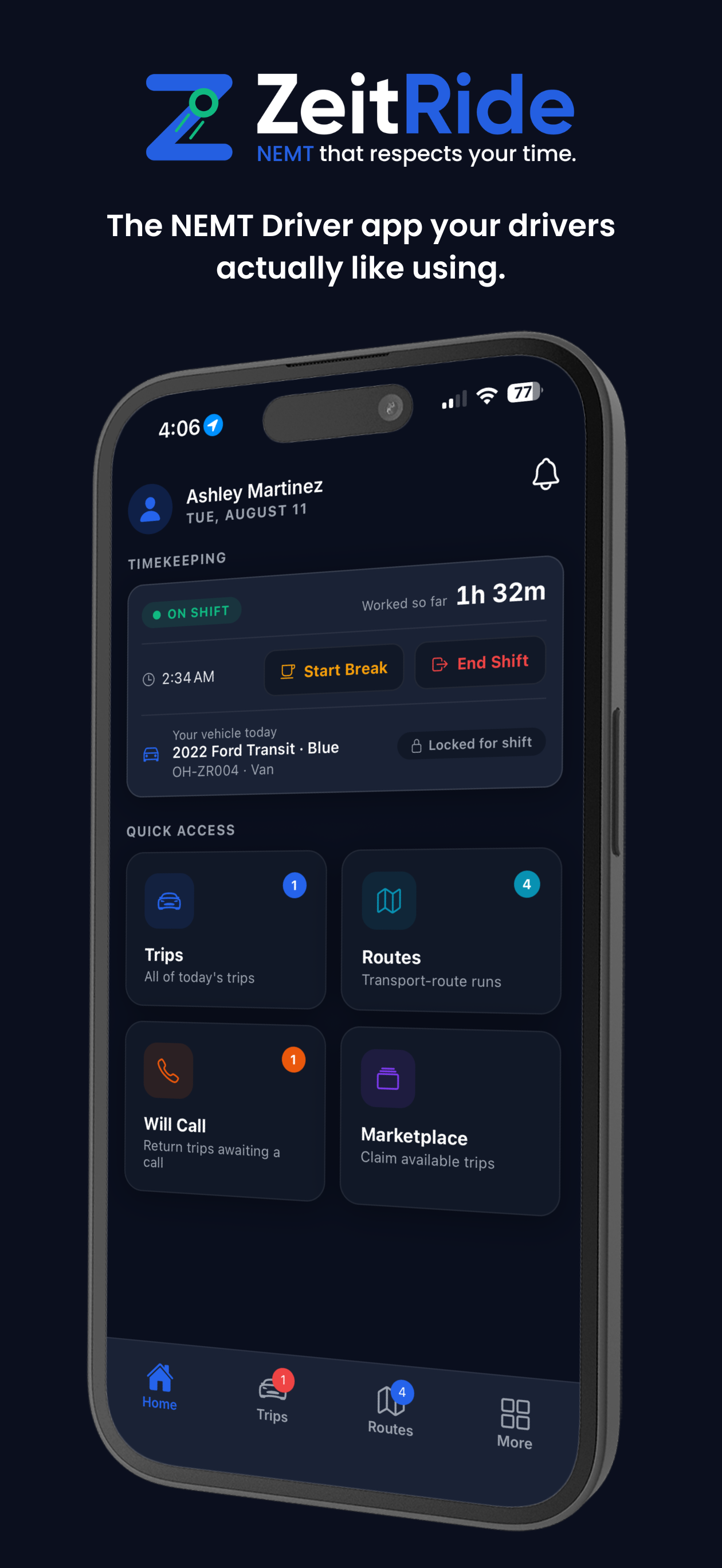
The ZeitRide Driver app is the NEMT driver app included with ZeitRide at no extra cost, available on iOS and Android. Drivers get trip assignments, turn-by-turn navigation with offline GPS, digital vehicle inspections, e-signature capture, and one-tap status updates that sync instantly with dispatch.
 Get it on Google Play
A look at the app
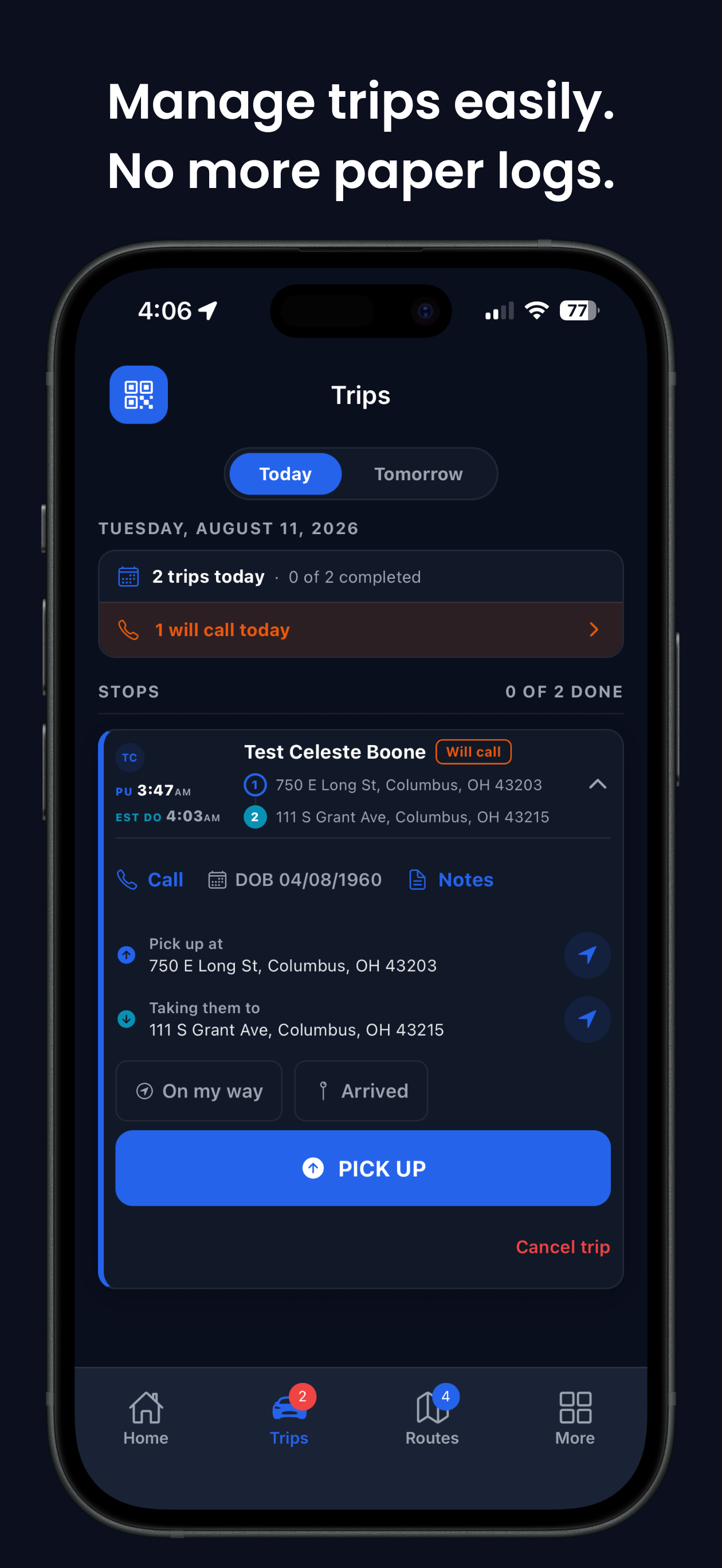
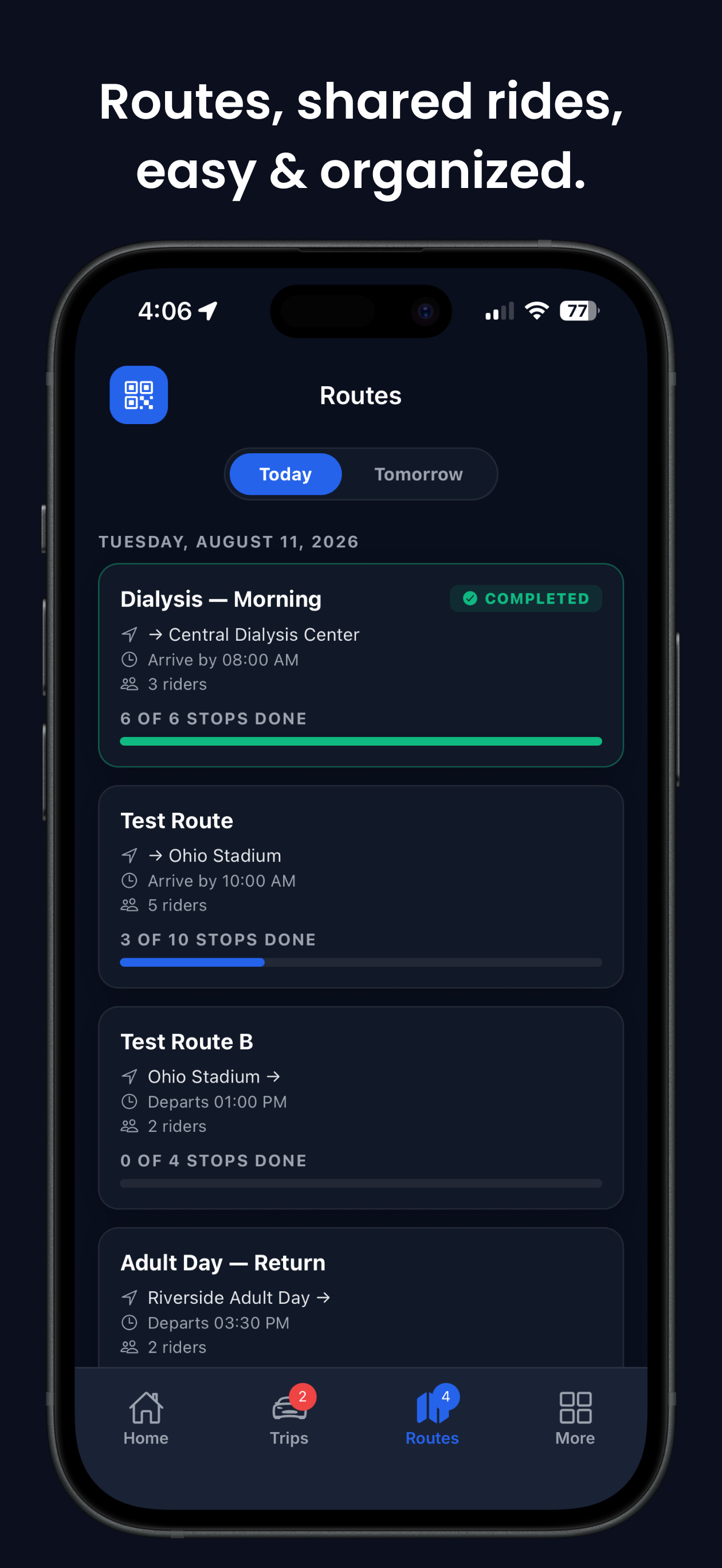
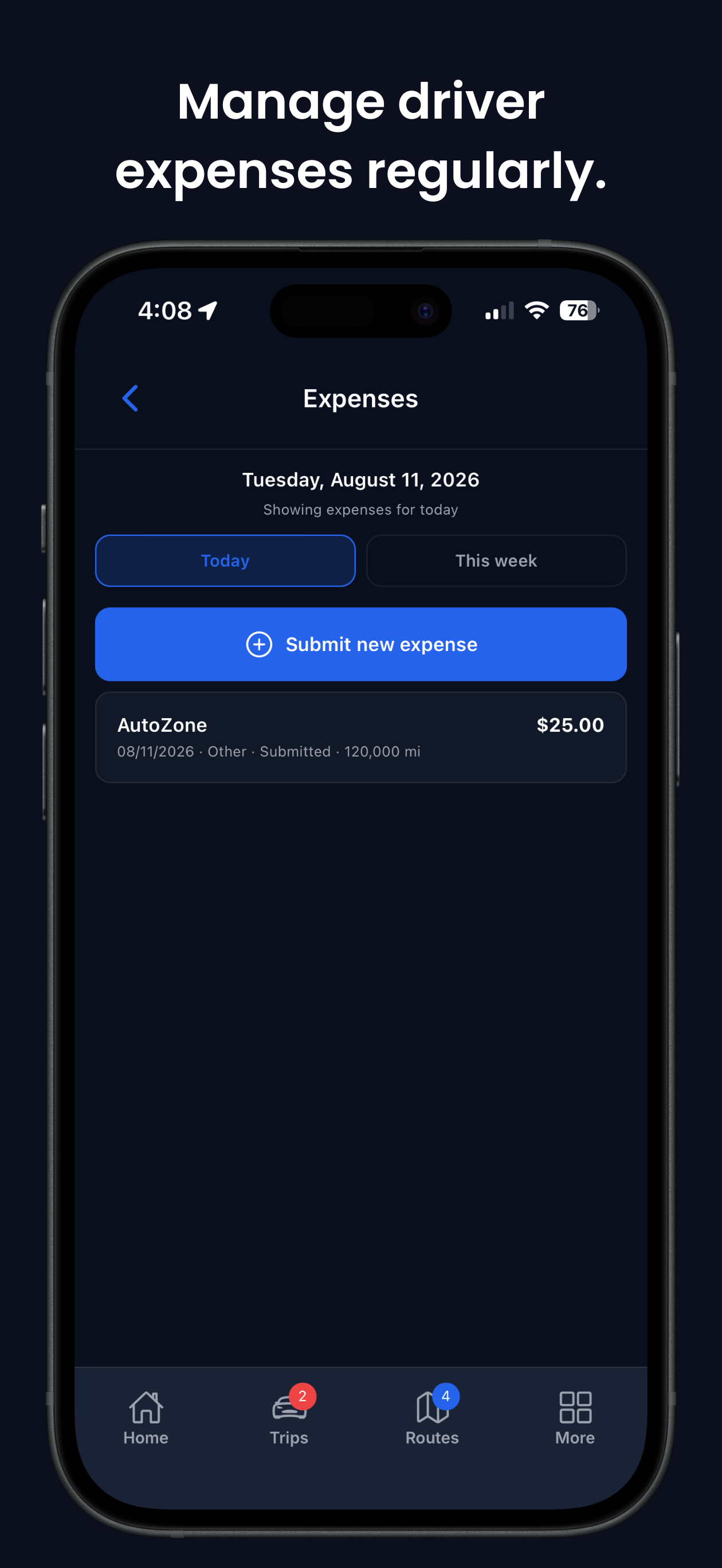
Swipe or use the arrows to browse ZeitRide Driver (iPhone-style screenshots; Android UI varies slightly).
What's in the app
Built for the front seat, not a desk.
Turn-by-turn navigation
Directions to every stop, re-routing on traffic, and a live ETA that actually matches reality.
Offline GPS support
Full stop list and routing keep working in dead zones. Updates push up automatically when back online.
One-tap pickup & drop-off
Mark trips complete, capture no-shows, or log cancellations without fumbling through menus at a stoplight.
Digital vehicle inspections
Pre- and post-trip inspection checklists with photo capture. Audit trail on every vehicle, every shift.
E-signatures
Rider signatures with GPS-stamped timestamps for billing and audit. Exports to PDF when a broker asks.
Custom forms
Text, select, date, photo, signature fields. Build what your state or broker requires once—it's on every driver's phone.
Accurate times
Actual pickup and drop-off timestamps flow straight into billing and payroll. No more end-of-day guesswork.
Push notifications
New trip assigned? Stop reordered? Route cancelled? Drivers know immediately—no phone tag with dispatch.
Photo capture
Upload photos of damage, signed paperwork, or proof of service—attached to the trip record forever.
A day on the road
Clock in. Run the route. Close out.
Clock in and inspect
Driver opens the app, sees the day's route, and runs the vehicle inspection. Dispatch sees the green check immediately.
Run the route
Turn-by-turn nav to each stop, one-tap pickup/drop-off, e-signatures where required. Every status syncs live.
Close out cleanly
Post-trip inspection, end of route timestamp, any photos or forms wrap up the day. Payroll reads it automatically.
For dispatch
The board stays in sync on its own.
Every tap on the driver app updates the dispatch board in real time. No more phone calls to confirm a pickup, and no more end-of-day cleanup to reconcile what actually happened.
See the dispatch board- Every driver's position on one live map
- Instant status the moment a stop completes
- Inspection photos and signatures in the trip record
- Push a new trip to a driver without a phone call
- Accurate hours flow straight into payroll
- Audit-ready timestamps on every action
There's an admin app too
ZeitRide Admin for the office.
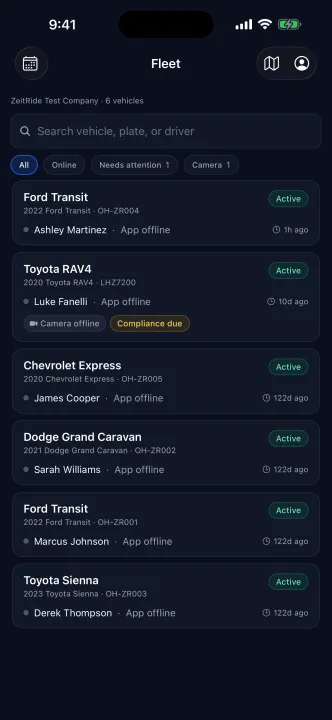
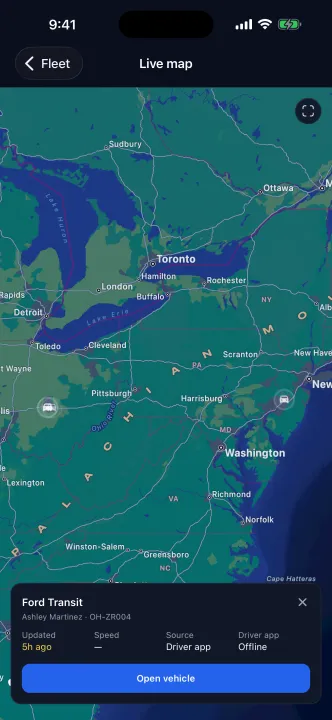
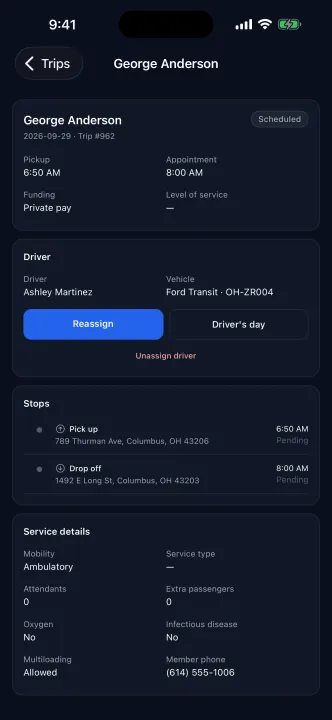
ZeitRide Admin is the mobile companion for owners, administrators, and dispatchers. It puts the live fleet map, the day's trips, and your drivers and vehicles in your pocket, so you can check on the operation and fix an assignment without opening a laptop.
It is phone-first for iPhone and Android phones and installs on iPad. It requires a ZeitRide company account; logins are issued by your company admin, and there is no self sign-up.
The driver app is for drivers. The admin app is for the office.
Live fleet map
Every vehicle, its driver, and the last-seen time on one map. Tap a vehicle for its driver, speed, and last update.
Today's trips
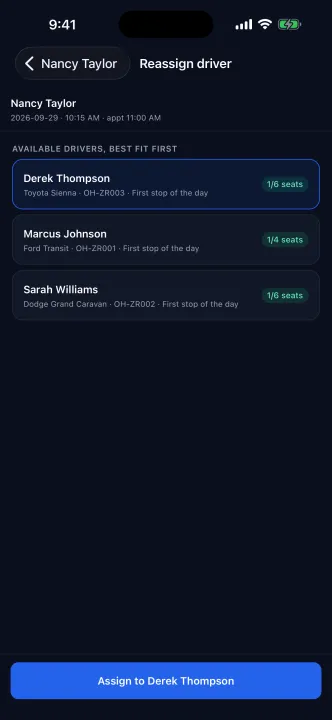
Pickup and drop-off times, live status, and member needs for every trip. Assign or reassign a driver right from the trip.
Drivers and vehicles
Which vehicle each driver has, whether their app is online, and the vehicle's details and documents.
New trip on the go
Book a regular trip for a member from your phone and assign it to a driver in the same flow.
Driver app FAQ
Quick answers
Is the driver app included?
Yes. iOS and Android are both free with the $49/vehicle plan. No per-driver fees.
Does it work without cell signal?
Yes. Drivers keep their stop list, routing, and status updates while offline. Everything syncs when they're back in coverage.
How do drivers sign in?
Dispatch invites them from the web dashboard—they download the app from the App Store or Google Play and log in with their provider's company ID.
Is training required?
Most drivers are fluent in 10 minutes. The interface is designed for use in a moving vehicle: big buttons, clear statuses, minimal typing.
Is there an app for the office too?
Yes. ZeitRide Admin is the companion app for owners, administrators, and dispatchers on iOS and Android. It shows the live fleet map, the day's trips with assign and reassign, and your drivers and vehicles; you can also book a new trip from your phone. Billing stays in the web portal. Logins are issued by your company admin—there is no self sign-up.
Which app should I install?
Drivers use ZeitRide Driver to run their trips. Owners, administrators, and dispatchers use ZeitRide Admin to watch the fleet and manage the day. Both are free with every ZeitRide plan.
See the whole platform—dashboard, driver app, and admin app.
15 minutes, zero pitch. We'll walk through dispatch, the driver app, the admin app, and how they stay in sync.
ZeitRide Driver is on the App Store and Google Play. ZeitRide Admin is on the App Store and Google Play.